


At Mossy Nissan Chula Vista, we’re proud to serve drivers throughout Chula Vista, Imperial City, Bonita, and Otay Ranch with everything you need for your Nissan. From helping you find the right vehicle to keeping it running strong with expert service, parts, and maintenance, our team is here every step of the way. If you have questions or need support, give us a call or reach out today—we’re always ready to assist with your automotive needs.
Activating Launch Control in your Nissan is simpler than most drivers expect, and it can completely transform the way your car accelerates. This guide breaks down the steps to engage the Nissan Launch Control feature, highlights how it works in models like the Nissan Z and GT-R, and explains key tips for safe, repeatable performance. In just a few clear steps, you’ll know exactly how to activate Nissan Launch Control and make the most of this advanced driving technology.
Step-by-Step: How to Activate Nissan Launch Control
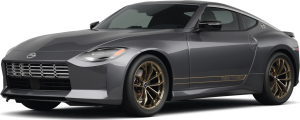
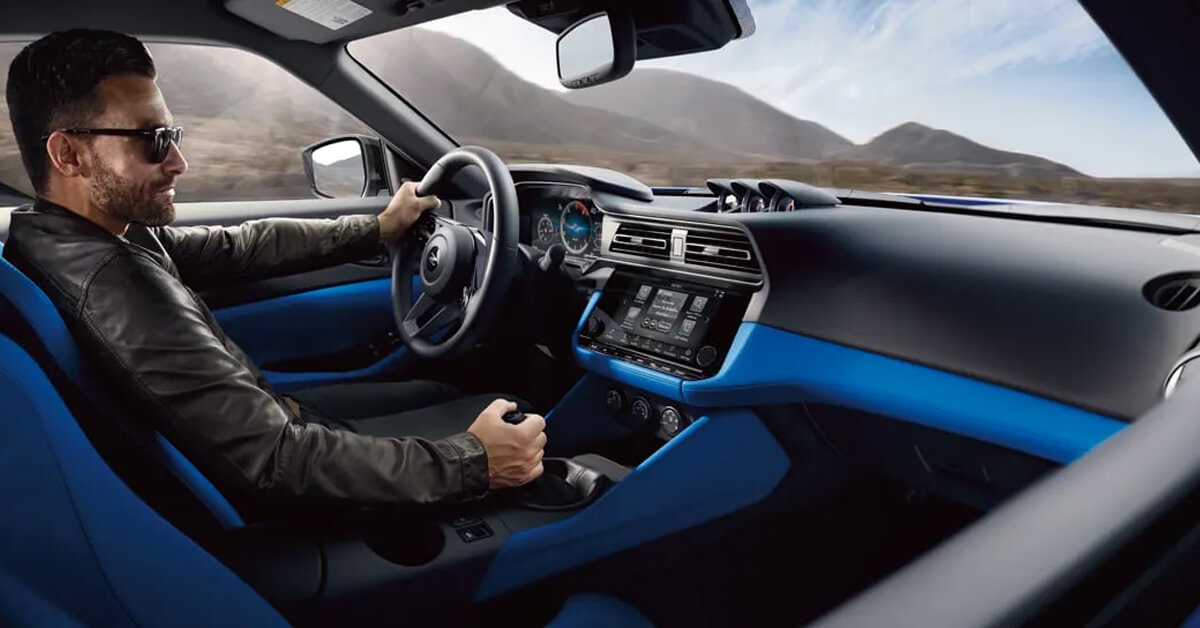
Nissan Launch Control is built to help drivers get a smooth, powerful start with less wheel spin. In models like the Nissan Z, the system works with the engine and transmission to hold the car at the right RPM and release power at just the right time. Once you know the steps, using it becomes simple and repeatable.
Follow these steps to activate Launch Control:
- Warm up the engine: Make sure the car is fully started and at normal operating temperature. This helps the system work as designed.
- Select Sport Mode: Switch the drive setting into Sport so the car is ready for performance driving.
- Turn off traction control: Press the traction control button. This allows the Launch Control system to manage grip instead.
- Hold the brake: Use your left foot to press and hold the brake firmly.
- Press the gas pedal: Push the accelerator all the way down with your right foot while still holding the brake. The engine will rise to the preset RPM.
- Release the brake: Lift your left foot off the brake while keeping the gas pressed. Launch Control will manage the power and grip for a strong takeoff.
When done right, the system delivers a quick, controlled launch that feels fast but also steady. The Nissan Z uses this process to give drivers the thrill of a track-ready start on command.
What Should You Know Before Using Nissan Launch Control?
The Nissan Launch Control feature is designed to give sharp, quick starts, but it is best used with care. It works most smoothly when you understand what helps the system perform well and what may place stress on the car.
Here are a few key points to know before you try it:
- Road surface matters: Dry pavement with good grip gives the best results. Wet or loose ground can reduce control.
- Tires should be ready: Worn tires will not grab as well and can slip more during a launch.
- Give the car breaks: The Z is built for fun, but repeated hard starts can heat up parts and add wear.
- Know the rules: Save launch control for safe areas. It is not suited for busy streets or poor road spots.
- Check your mode: Make sure Sport Mode and the right settings are on before you begin.
The system helps drivers push the car to its full edge in a smart way. Still, knowing when and how to use it keeps both the car and driver in sync. The Z offers this feature to give thrill and balance, but respect for the limits makes the drive even better.
Why Do the Nissan Z and GT-R Use Launch Control Differently?
Both the Nissan Z and the GT-R come with a version of launch control, but the systems are tuned in different ways. Each car is built with a clear purpose, so the way launch control works depends on the design of the vehicle.
Key differences include:
- Power output: Nissan GT-R launch control is tuned for higher horsepower and faster track times, while Nissan Z launch control is built for strong starts but with a focus on daily use.
- System setup: The GT-R uses advanced all-wheel drive to spread power to each wheel. The Z uses rear-wheel drive, which changes how grip and balance are managed.
- Driver focus: GT-R launch control is meant for peak speed on tracks and closed roads. Z launch control offers a thrill that works well on both streets and open roads.
The GT-R has long been known as Nissan’s top track car, and its system shows that. The Z brings a more balanced setup, giving drivers fast takeoffs while still keeping things smooth for daily drives. Each model uses launch control to match its own style, which is why they feel so different behind the wheel.
Common Mistakes to Avoid With Nissan Launch Control
Launch Control adds fun and power to your drive, but it only works best when used the right way. Drivers of the Z and other Nissan models can make small mistakes that hurt the system or reduce its effect. By knowing what to avoid, you help keep the Nissan Launch Control feature safe, smooth, and ready when you need it.
Mistakes to watch out for:
- Using it too often: Repeated launches without cool-down time can wear the clutch or tires.
- Cold starts: Launching before the engine warms up puts stress on key parts.
- Poor road grip: Wet or loose roads make it hard for the system to find traction.
- Weak tires: Worn tires reduce grip and cut the system’s impact.
- Wrong settings: Forgetting to switch to Sport mode or disable traction control stops it from working.
With care, the Z and other models that use Launch Control deliver fast starts without stress on the car. Avoiding these mistakes means more fun and less repair down the road.
How Nissan Launch Control Enhances Everyday Driving in San Diego County
The Nissan Launch Control feature is not just for the track. Drivers in San Diego County, from Chula Vista to Otay Ranch, can enjoy its benefits on city streets and open roads. The system adds more than speed. It brings calm and control to daily driving in the Nissan Z and other models.
Ways it improves daily drives:
- Merging onto I-5 feels more secure with quick, steady bursts of power.
- Stop-and-go traffic in Bonita becomes smoother with less wheel slip.
- Hilly routes in Imperial City are easier to handle thanks to stronger grip.
- Even short trips turn into a more fun and precise drive.
By keeping launches smooth and under control, the system adds a layer of ease and safety to every trip. The Z makes this balance clear, mixing high-speed thrill with steady control.
Experience Nissan Launch Control at Mossy Nissan Chula Vista
Driving feels different when you unlock the full potential of Nissan Launch Control. At Mossy Nissan Chula Vista, you can see how this feature changes the way the Z and other models handle. Our team is here to help you learn how it works and guide you through every detail.
When you visit us, you can:
- Get hands-on time with the latest Nissan models.
- Learn how to set up and use Launch Control step by step.
- Speak with experts who know how to match the right car to your style.
- Explore parts, service, and care options that keep your car in top form.
From Chula Vista to Bonita, Imperial City, and Otay Ranch, drivers turn to Mossy Nissan for more than just cars. Contact us today or stop by our showroom to experience Nissan Launch Control for yourself.
Frequently Asked Questions
Drivers often have quick questions about how Nissan Launch Control works and how to use it. Here are direct answers to the most common ones.
How does Nissan launch control work?
Nissan Launch Control works by holding the engine at a preset RPM and managing power to reduce wheel spin for faster, smoother starts.
How do I activate the launch control in my Nissan?
To activate, warm up the engine, switch to Sport mode, turn off traction control, press the brake, press the gas, then release the brake.
Where is the launch control button located in my Nissan?
There is no single button. Launch Control is enabled through drive mode selection and traction control settings, combined with the brake-and-gas process.
How does activating launch control in my Nissan affect its performance?
Activating Launch Control improves acceleration, reduces tire slip, and delivers consistent, controlled starts without over-revving or loss of grip.
These answers give you the key facts to use the system with confidence and get the best results from your Nissan. If you still have questions, contact Mossy Nissan Chula Vista today or visit us in person for expert help.
Visit Mossy Nissan Chula Vista for More
Mossy Nissan Chula Vista offers a wide selection of new and used vehicles for drivers in Chula Vista, Bonita, Imperial City, and Otay Ranch. Our team can guide you through features like Nissan Launch Control and show you how it performs in models such as the Z.
If you’d like to keep learning before you visit, you can read more about the Nissan Launch Control feature or see which Nissan cars with Launch Control are available. For those who care about long-term costs, you may also want to learn how drivetrains impact fuel efficiency in a Nissan.
Contact Mossy Nissan Chula Vista today or stop by to find the right model and features for your needs.
Get Directions to Mossy Nissan Chula Vista
Disclaimer: All information is provided for general informational and entertainment purposes only. While we strive for accuracy, we cannot guarantee that all content is complete, current, or error-free. Any reliance you place on such information is strictly at your own risk. This article may include opinions and is not endorsed by, or officially affiliated with, any vehicle manufacturer or brand. Always consult official sources – such as the vehicle’s owner’s manual, authorized dealerships, or certified professionals – for the most up-to-date and personalized information.